


Using AI Artwork for Custom Shirts: Why Your Design May Not Be Ready to Print


AI has made it easier than ever to turn an idea in your head into something you can actually see.
You can type a description into an AI image generator and, within minutes, have artwork for a business, church shirt, event, family design, funny saying, Christian graphic, team idea, or completely original concept.
So can AI-generated artwork be used for custom shirts?
Yes. AI artwork can absolutely be a useful starting point for custom apparel.
But there is an important difference between an image that looks good on your phone and an image that is actually ready to be enlarged and printed on a shirt.
Before AI artwork goes into production, it should be checked for image quality, spelling, unwanted details, edge quality, background handling, transparency, final print size, and other problems that may not be obvious on a small screen.
The best results start with more than a good-looking image.
They start with a strong prompt, the best original artwork file available, careful review, proper cleanup when needed, and sending the correct file to the printer.
At K&M Kustom Kreations in Joplin, Missouri, we work with customer-supplied artwork, logos, photographs, ideas, sketches, phrases, and AI-generated images. Some files arrive ready to move forward. Others need minor preparation, additional design work, or a better source image before they should ever be printed.
This guide explains the difference.
AI Artwork Can Be a Great Starting Point, but It Is Not Always a Finished Print File
AI image generators can be incredibly useful for custom apparel.
They can help you visualize:
A shirt saying you have been thinking about
A detailed illustration
A faith-based design
A mascot or character concept
A business graphic
An event shirt
A floral design
A vintage-style graphic
A photo-inspired image
A completely original idea
The problem begins when we assume that because an image looks finished, the file itself must be ready for production.
Those are two different things.
A design displayed on a phone may only be a few inches wide on the screen.
A full-front shirt print may need to be 10, 12, 14, or even 15 inches wide.
Once the artwork is enlarged, things that were almost invisible on the phone can become much easier to see.
That can include:
Soft or fuzzy edges
Strange letters
Misspelled words
Unwanted objects
Duplicate details
Odd shadows
White halos
Background remnants
Tiny detached pieces
Artificial-looking textures
Details that become blurry when enlarged
Lines that are too thin to reproduce well
That is why one of the most important rules for AI artwork is simple:
What you see on your screen is not always the same thing your printer has to work with.
AI is a powerful creative tool, but a shirt still has to move through an actual production process.
The complete path looks more like this:
IdeaAI promptGenerated artworkArtwork reviewCleanup or preparationPrint-ready fileTransfer preparationGarment productionFinished custom apparel
AI creates part of the process. It does not replace the rest of it.
Start With a Better AI Prompt for Apparel
One of the easiest ways to create better artwork is to think about the final use before you ever generate the image.
A vague prompt gives the AI a lot of freedom to decide what your design should look like.
For example:
“Make me a cool Christian shirt with roses.”
That might create something beautiful.
It might also create a shirt mockup, unreadable lettering, extra wording, a complicated background, thin decorative elements, scenery you never wanted, or an image that does not fit well across a shirt.
A stronger apparel prompt gives the AI more direction.
A useful formula is:
Subject + message + style + composition + print purpose + garment color + background instructions + important restrictions
For example:
“Create a centered chest design intended for a black T-shirt. Feature deep red roses surrounding the exact phrase ‘Faith Over Fear’ in large, bold, readable vintage lettering. Use strong contrast, clean edges, and a balanced wide composition. Keep the artwork isolated from the background. Do not include a shirt mockup, person, scenery, watermark, border, or additional wording.”
That prompt tells the system much more about what you actually need.
When building AI artwork for apparel, consider specifying:
The exact wording
The main subject
The visual style
Whether the layout should be wide, tall, or centered
The garment color
Whether a background is wanted
Whether transparency will eventually be needed
Whether text needs to be large and readable
Elements you do not want added
Whether the image is intended for custom apparel
There is one important reality check.
A detailed prompt improves the starting point. It does not guarantee a print-ready image on the first try.
You can give an AI system excellent instructions and still receive malformed lettering, strange edges, hidden background pixels, unwanted objects, or tiny details that will not translate well to a garment.
Prompting gets us closer.
The artwork still needs to be checked.
Check AI Artwork Before You Send It
Before you approve an AI-generated design, inspect more than the overall appearance.
Start with the words.
Read every:
Word
Name
Number
Date
Scripture reference
Business name
Event name
Slogan
Then read them again.
AI-generated typography has improved significantly, but that does not mean every letter will automatically be correct.
Watch for:
Misspellings
Missing letters
Duplicate letters
Incorrect punctuation
Strange spacing
Letters that only look correct at first glance
Random text hidden inside decorative elements
Next, inspect the artwork itself.
Look closely for:
Duplicate objects
Malformed objects
Strange anatomy if people are involved
Unwanted symbols
Accidental signatures
Watermarks
Random text
Objects blending together
White outlines
Halos around the design
Background pieces that should not be there
Small floating pixels or fragments
Then think about how the artwork will actually look on the shirt.
Ask:
Will the smallest text still be readable?
Are any lines extremely thin?
Will dark artwork disappear on a dark garment?
Are important details too small?
Is there enough contrast?
Is the composition shaped appropriately for the print location?
One more thing matters greatly:
Save the best original version before you begin sharing it.
That brings us to one of the biggest problems we see with customer-supplied artwork.
Original File vs. Screenshot vs. Messenger Copy
Imagine you create an AI design that looks great.
There are two very different ways that file can eventually reach K&M.
A strong path looks like this:
AI image generator↓Download the original image↓Keep the original file↓Email the original file to K&M↓Artwork review↓Print preparation↓Production
Now compare that with:
AI image generator↓Take a screenshot↓Upload the screenshot↓Send it through social media↓Save another copy↓Send that copy again↓Enlarge it for a shirt
The second path gives us a derivative copy rather than the best original source.
A screenshot is not the original artwork file.
It is a new image created from whatever was displayed on your screen at that moment.
The screenshot may have different pixel dimensions. It may lose transparency. It may include extra background information. It may also give us less usable image information than the file that came directly from the image generator or design program.
That does not mean every screenshot is unusable.
It means that when the original exists, we would rather start with the original.
Does Facebook Messenger automatically ruin image quality?
No.
That would be too broad.
Messenger can be perfectly useful for:
Sharing ideas
Sending inspiration
Showing rough concepts
Asking questions
Discussing an order
Sending previews
Messenger also offers HD photo sharing and file-attachment options in supported situations.
The important difference is how the artwork is being sent.
If you send a screenshot of an AI image through Messenger, we are still receiving a screenshot.
Selecting HD does not turn that screenshot back into the original AI export.
For final production artwork, K&M prefers that customers email the original downloaded file whenever possible.
Email gives us a cleaner way to receive the intended production file, associate it with your order, and keep track of exactly which version should be reviewed.
If Messenger is your only option, send the original downloaded image rather than a screenshot and use the HD or file-attachment option when available.
Image Size Matters More Than a Magic “300 DPI” Number
Another common misunderstanding is the idea that changing an image to “300 DPI” automatically makes it high quality.
It does not.
For raster artwork, what really matters is how many actual pixels are available at the size the artwork needs to print.
You may hear print shops use the term 300 DPI. For image files, pixels per inch, or PPI, is the more accurate way to describe the image resolution.
For example, if you want a design to print 10 inches wide at 300 pixels per inch:
10 inches × 300 pixels = about 3,000 pixels wide
A 12-inch-wide design at the same target would be approximately:
12 inches × 300 pixels = about 3,600 pixels wide
A useful reference is:
4-inch print: about 1,200 pixels wide
8-inch print: about 2,400 pixels wide
10-inch print: about 3,000 pixels wide
12-inch print: about 3,600 pixels wide
14-inch print: about 4,200 pixels wide
15-inch print: about 4,500 pixels wide
These are useful targets, not guarantees.
Different artwork can behave differently.
A simple graphic with clean shapes may handle enlargement differently than a detailed photograph.
The important lesson is this:
Changing the DPI or PPI number in a file does not create detail that was never there.
If the original image is only 1,000 pixels wide, changing a setting to 300 PPI does not suddenly give us 3,600 pixels of original artwork information.
Does Changing a JPG to PNG Improve the Quality?
No.
This is another common misconception.
PNG and JPG are file formats.
Changing one format into another does not automatically restore missing detail.
If you start with a blurry JPG and save it as PNG, you now have a blurry PNG.
File type and file quality are two separate things.
PNG can be extremely useful for custom apparel because it supports transparency.
JPEG does not support a transparent background.
But that does not mean:
PNG = goodJPG = bad
A high-quality original JPG photograph can be much more useful than a tiny, blurry PNG.
The best file depends on the artwork.
For example:
Logos and clean lettering are often best when the original vector artwork is available.
That might include formats such as:
SVG
AI
EPS
Vector PDF
Vector artwork can be resized without the same resolution dependence as a raster photograph.
For detailed AI illustrations, painterly artwork, and photo-style designs, a high-resolution original raster file may be appropriate.
For artwork that needs the garment to show around the design, a high-quality PNG with real transparency can be useful.
The important word is original.
A Transparent Background Needs to Actually Be Transparent
AI images can create another confusing situation.
Sometimes an image appears to have a transparent background because it shows a checkerboard pattern.
But the checkerboard may actually be part of the picture.
That is not transparency.
A file may also contain:
White halos
Semi-transparent edges
Soft glows
Leftover background pixels
Floating particles
Faint shadows
Background fragments
Those details might be difficult to notice on a phone.
Once a white underbase and DTF transfer are prepared, however, unwanted artwork can become much more noticeable.
That does not mean all soft edges or transparency are bad.
Some designs intentionally use them.
It means the artwork needs to be reviewed so we understand what is supposed to print and what is not.
Can AI Upscaling Fix a Low-Quality Image?
Sometimes it can help.
It cannot perform magic.
Modern upscaling tools can enlarge an image and estimate new pixel information. In some situations, that can improve the visual appearance enough to make an image more usable.
But the software is still estimating information.
It does not have access to detail that was never present in the original source.
Upscaling may not fully repair:
Severe blur
Incorrect lettering
Missing details
Bad compression
Distorted objects
Poor facial features
Heavy pixelation
Broken edges
Sometimes rebuilding part of the design is the better option.
Sometimes requesting the original file is the answer.
And sometimes the fastest, cleanest solution is to regenerate the AI image using a better prompt rather than spending a large amount of time trying to repair a weak screenshot.
How Does Artwork Quality Affect DTF Printing?
DTF printing is capable of reproducing very detailed artwork.
It can work especially well with:
Full-color designs
Photographs
Gradients
Illustrations
Complex graphics
Multiple colors
Detailed logos
Fine decorative elements
But the printing process cannot create original image information that is missing from the source artwork.
A capable printing method still needs a capable source file.
At K&M, we look at factors such as:
Final print dimensions
Artwork resolution
Edge quality
Transparency
Fine lines
Small text
Color contrast
Stray pixels
Background remnants
Overall design condition
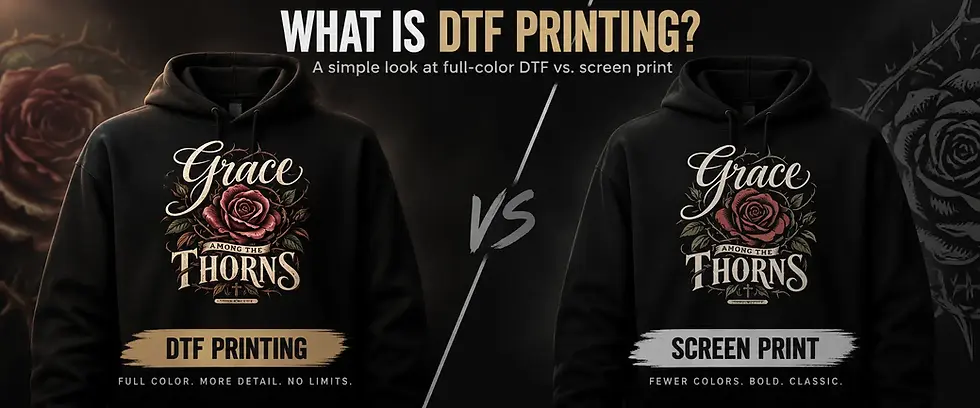
If you want to understand the printing process itself, our guide explaining what DTF printing is and how it is used for custom apparel goes deeper into how the transfer reaches the garment.
What K&M Can Do With AI Artwork
Not every customer file needs the same amount of work.
That is why we separate artwork into a few general conditions.
Ready for Production
The original file is clear, appropriately sized, and does not need meaningful correction before normal production preparation.
Minor Print Preparation
The artwork is usable but may need routine preparation such as:
Sizing
Placement setup
Minor background cleanup
Minor edge cleanup
Production-file preparation
Additional Design Work
The artwork requires more than normal production preparation.
That may include:
Rebuilding lettering
Redrawing artwork
Reconstructing missing elements
Major background removal
Significant composition changes
Repairing major AI mistakes
Recreating portions of the image
This may require additional paid design work.
Better Source Needed
Sometimes the submitted artwork simply is not the file we should be trying to repair.
Examples include:
Extremely small screenshots
Heavily degraded files
Severe blur
Missing design information
Artwork that has been repeatedly copied or saved
AI generations with major structural problems
In those situations, we may ask for the original file or recommend creating a better generation.
The goal is not to reject your idea.
The goal is to avoid printing a problem permanently onto a shirt when there is a better path available.
Artwork Preparation and Design Work Are Not the Same Thing
This distinction is important.
Normal print preparation is part of getting usable artwork ready for the production process.
Rebuilding an image is different.
If we need to reconstruct letters, redraw elements, rebuild a logo, remove a complicated background, recreate missing details, or significantly redesign the image, that becomes design work.
K&M reviews the artwork before production and can let you know which situation applies.
If you are wondering how artwork preparation, garment choice, print size, placement, and other requirements can affect an order, our Understanding Custom Shirt Pricing guide explains those factors in more detail.
Before You Use AI Artwork on Apparel
AI-generated does not automatically mean there are no rights or restrictions attached to what appears in the image.
Before submitting AI-generated artwork for commercial printing, make sure you have the right to use any protected material included in the design.
That may include:
Business logos
Brand names
Sports logos
Characters
Copyrighted artwork
Photographs
Trademarked phrases
Other protected material
AI platforms may also have their own terms regarding generated content and commercial use.
If an AI tool produces an image containing somebody else's protected logo, character, or artwork, the fact that AI generated the image does not automatically give you permission to commercially reproduce it.
How to Send AI Artwork to K&M
The process does not need to be complicated.
Step 1: Create the strongest version of the artwork
Use a detailed prompt and continue refining the image until the main concept is correct.
Step 2: Review the artwork carefully
Proofread everything.
Zoom in.
Look for unwanted details.
Check the background.
Step 3: Download the original
Save the highest-quality original file available from the AI tool or design program.
Keep that file.
Step 4: Avoid screenshots for the final production file
Screenshots are fine for showing us what you are talking about.
When the original exists, send us the original for production review.
Step 5: Email the original artwork file to K&M
Attach the actual file rather than placing only a screenshot inside the message.
Step 6: Tell us what you want to make
Include as much information as you know.
Step 7: Let K&M review the artwork
We can determine whether the file appears ready, needs routine preparation, requires additional design work, or should be replaced with a stronger source.
Production should not move forward until the artwork and order requirements have been properly reviewed.
What to Include When You Email Artwork to K&M
The more information you provide, the easier it is for us to understand the project.
A useful email subject would be:
Custom Shirt Artwork - Your Name - Business, Event, or Order Name
Include:
Your name
Best phone number
Original artwork file
Garment type
Garment color
Quantity
Sizes, if known
Print location
Approximate print size, if you know it
Whether the artwork was AI-generated
Exact wording that must not be changed
Any important reference images
Any details that absolutely need to remain
Anything you are unsure about and want us to inspect
Do not worry if you do not know every production detail.
That is what the review process is for.
Can K&M Work From an Idea Instead of Finished AI Artwork?
Yes.
You do not have to arrive with a perfect print-ready file.
Customers may start with:
A phrase
Rough sketch
Photograph
Logo
AI-generated concept
Screenshot for reference
Inspiration image
General idea
K&M can review what you have and determine the next step.
Just remember that having an idea and having completed artwork are not necessarily the same thing.
Some projects may require additional design work before production.
If you are starting with something other than completed artwork, our guide on how to turn a photo, logo, sketch, or idea into a custom T-shirt explains that process in greater detail.
AI Artwork for Custom Shirts FAQs
Can AI-generated artwork be printed on a T-shirt?
Yes. AI-generated artwork can often be used for custom shirts, especially when the original image is clear, properly reviewed, and suitable for the intended print size. AI artwork may still need cleanup or print preparation before production.
Why does my AI image look clear on my phone but blurry when enlarged?
A phone displays the design at a relatively small size. A shirt print may be 10, 12, 14, or more inches wide. Enlarging the artwork can expose limited pixel information, soft details, rough edges, compression, or other issues that were difficult to see on the smaller screen.
Should I send custom shirt artwork through Facebook Messenger or email?
K&M prefers email for final production artwork because it provides a cleaner way to receive and organize the original file associated with your order. Messenger is useful for communication, reference images, and ideas. If you need to send final artwork through Messenger, send the original downloaded file rather than a screenshot and use HD or file attachment options when available.
Can K&M fix a low-quality or blurry AI image?
Sometimes. The answer depends on what is wrong with the file. Some artwork only needs minor preparation. Other files require additional design work, a better original source, or a new AI generation. K&M reviews the artwork before production rather than promising that every low-quality image can be repaired.
Does changing a JPG to PNG improve the quality?
No. Saving a low-quality JPG as PNG does not recreate missing image information. PNG can be useful because it supports transparency and uses different compression, but a blurry image does not become sharp simply because the file extension changes.
Can I use AI artwork that includes a logo, character, brand, or celebrity?
Do not assume AI-generated artwork automatically gives you permission to commercially reproduce protected material. Make sure you have the necessary rights or permission to use logos, brands, copyrighted characters, photographs, trademarks, or other protected content included in the design.
Ready to Turn Your AI Design Into a Custom Shirt?
AI can be a powerful way to turn an idea into something you can finally see.
But the best finished apparel starts with more than an image that looks good on a phone.
It starts with:
A clear idea. A stronger prompt. A careful review. The best original file available. Proper artwork preparation. And the right production process.
If you have AI-generated artwork, a logo, photograph, phrase, sketch, or even a rough idea, K&M Kustom Kreations can help you determine what the next step should be.
We work with individuals, businesses, churches, ministries, teams, events, organizations, families, bands, and groups.
Local pickup is available in Joplin, Missouri when applicable, and we also ship custom apparel nationwide.
For the smoothest artwork review, email K&M the original file rather than only sending a screenshot.
Planning shirts for a church, business, team, event, fundraiser, or other organization? Our Bulk Order Services page explains how larger custom apparel projects work.
Already have the artwork ready? Visit our Custom T-Shirt Shop.
Need help determining whether your design is usable?
Contact K&M and tell us what you are trying to create.


Comments